Older: 2014-02-24 Aha, a plan for the things I want to write #experiment.png
Newer: 2014-02-24 Reminding myself of freedom #freedom #experiment.png
2014-02-24 Emacs tips - use Dired to manage files #dired #emacs.png

-Emacs tips: Use Dired to manage files sacha Chua

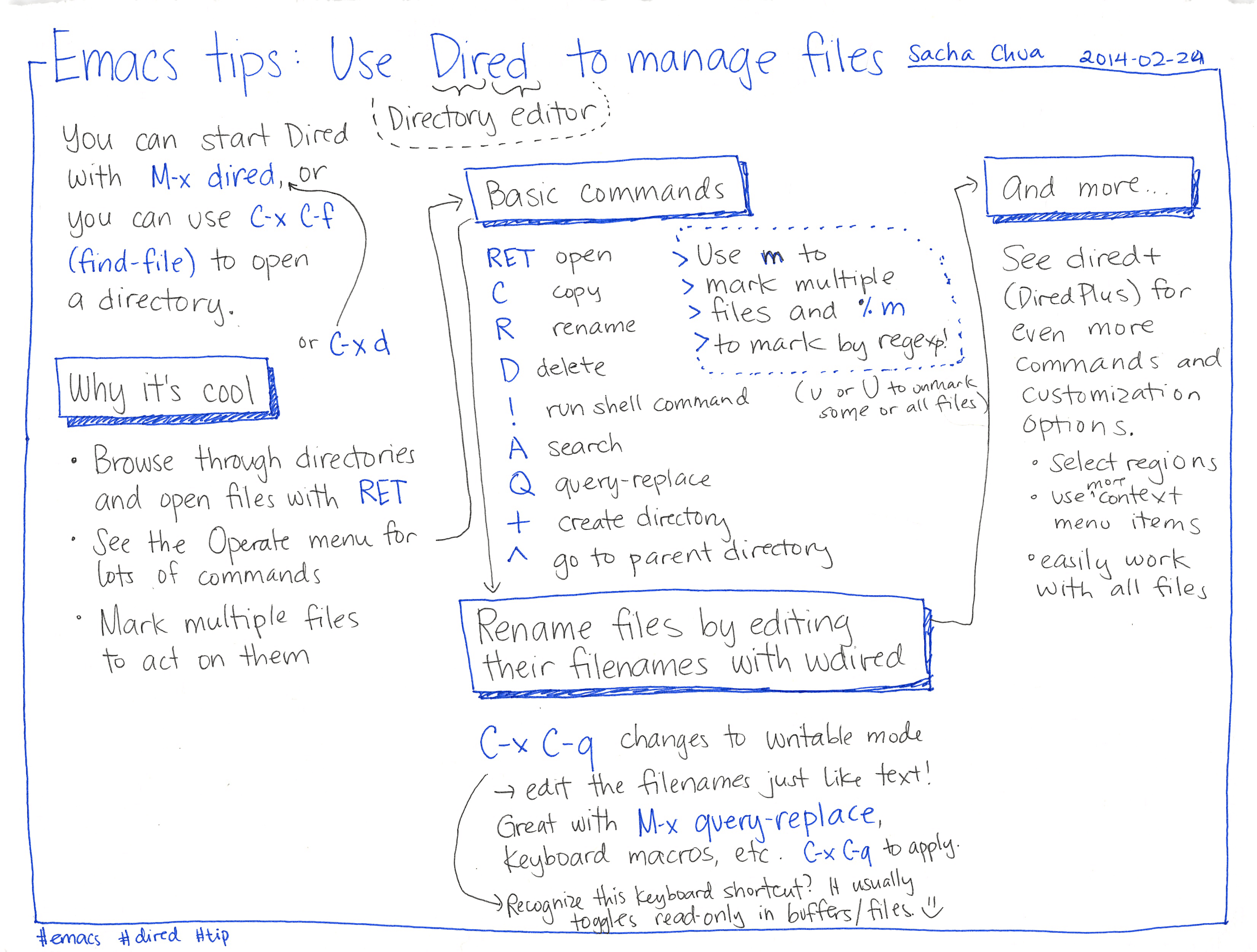
You can start Dired (Directory editor) with M-x dired, or you can use C-x C-f Basic commands 2014-02-24 (find-file) to open RET open > Use m to a directory. C сору R or G-xd Why it's cool • Browse through directories ° and open files with RET menu for See the Operate lots of commands Mark multiple files to act on them

renameD delete> mark multiple> files and % m> to mark by regexp!! run shell commandA searchQ query-replace U or U to unmarksome or all files)go to parent directoryRename files by editingtheir filenames with waivedC-x C-q changes to writable mode→edit the filenames just like text!Great with M-x query-replace,Keyboard macros, etc. C-x C-q to apply.→ Recognize this keyboard shortcut? It usuallytoggles read-only in buffers/files. ☺And more...See dired+(Dired Plus) foreven moreCommands andCustomizationoptions.00Select regionsmoreUse "contextmenu items• easily workwith all files
Older: 2014-02-24 Aha, a plan for the things I want to write #experiment.png
Newer: 2014-02-24 Reminding myself of freedom #freedom #experiment.png

Sketches are (c) 2007-2025 Sacha Chua - Creative Commons Attribution License 4.0 unless otherwise specified. This means you can freely share and adapt the sketches (even commercially) if you include attribution and indicate the license and any changes, like this: (c) 2025 Sacha Chua - Creative Commons attribution license